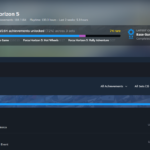
Steam Deck: Steam shows real FPS measurements instead of just compatibility ratings
By Gameforest Redaktion Published Updated 2 min read
Since 11 November 2026, Steam has been showing all users the average frame rate on the Steam Deck for thousands of games. Valve is adding measurements from actual gaming sessions to its well-known compatibility ratings. The figures appear in the store under ‘Steam Deck Compatibility’ and ‘Learn more’. With the regular client update of 11 November, the values are also available in your own library.
What to expect here
Why the average does not tell the whole story
A game with the ‘Verified’ label meets Valve’s defined compatibility criteria. However, this does not reveal whether it mostly runs at 30, 45 or 60 frames per second. Conversely, a title rated ‘Unsupported’ may still run smoothly enough for individual players. The new display is intended to narrow exactly this gap.
Behind the average value, you can open a histogram of the measured frame rates. It shows how often different FPS values occur in the anonymised measurements. This can reveal significant fluctuations that a single average figure would otherwise conceal.
What the measurements show – and what they do not
Valve uses only data from Steam Deck players who have agreed to anonymous submission. For display purposes, the operator only considers devices with the default frame rate limit: 60 FPS on the LCD model and 90 FPS on the OLED model. A title also requires a minimum number of measurements before its average is shown.
Uniform graphics settings are not mandatory. The measurements reflect different play styles and settings and therefore do not replace a controlled performance test. Especially for demanding games, it is worth looking at the entire distribution rather than only the mean. According to Valve, jumps between 90 and 45 FPS can also arise from synchronisation with the OLED display.
Also available in the regular Steam client
The new FPS displays are intended for games with the Steam Deck ratings ‘Verified’, ‘Playable’ and ‘Unsupported’. Valve would like to include performance data from other devices in the future. With the regular Steam update, PC players can also agree to the anonymous submission of frame rate data. This does not yet mean that comparable PC statistics will be published.
If you want to change the submission of your own Steam Deck data, the setting can be found in your Steam account under ‘Data and Browsing’, alongside the anonymised game frame rates. Valve explains the feature and its measurement limits in the official announcement.